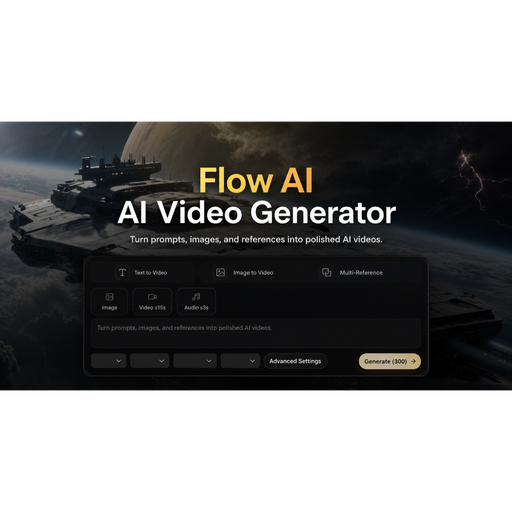
Flow AI: Browser-Based Generative Video Workspace#
Executive Summary & Quick Verdict#
Flow AI is a streamlined, browser-based generative video platform that enables teams and creators to produce motion content from text prompts, static images, and reference frames. Operating with zero sign-up friction, it targets rapid pre-visualization workflows. For engineers and product builders looking to test creative concepts or generate placeholder loops quickly, it delivers immediate value without administrative overhead.
The Core Problem: Why Modern Workflows Break#
Translating abstract product briefs or UI/UX concepts into moving visuals traditionally requires heavy timeline editors, specialized 3D rendering pipelines, or expensive stock footage sourcing. This creates a high-friction bottleneck during the ideation phase. Teams waste valuable cycle time setting up software licenses or rendering complex assets just to evaluate a simple creative direction or landing page loop.
Architecture & Tech Stack Spotlight#
Built entirely on a modern web stack, Flow AI abstracts away local compute requirements by running inference pipelines in the cloud and streaming results directly to the browser DOM.
- Client Layer: Lightweight single-page web application optimized for fast initial load times and responsive asset previews.
- Execution Layer: Cloud-native neural inference engines handling text-to-video, image-to-video, and interpolation tasks concurrently.
- Interface Design: Modular workspace architecture that keeps prompt inputs, reference assets, and output variations side-by-side for rapid iteration.
Deep-Dive: Key Capabilities & Workflows#
1. Zero-Friction Prompt Engineering#
The platform eliminates authentication gates, letting users start generating motion studies immediately. Prompts take structured inputs covering subject action, camera movement, atmospheric lighting, and pace.
2. Image-to-Video & Reference Anchoring#
Instead of relying solely on text descriptions, users can upload approved product packshots, UI mockups, or portraits to anchor the spatial and stylistic consistency of the generated frames.
3. Frame-Guided Transitions#
By defining specific opening and closing frames, builders can dictate exact transformations, reveals, and state transitions, ensuring the final motion asset aligns with precise storytelling milestones.
4. Multi-Format Canvas Control#
Rather than treating aspect ratios as an afterthought or post-render crop, Flow AI allows native targeting of vertical, widescreen, and square aspect ratios during the initial parameter setup.
Who Is It Built For?#
- Product Builders & Indie Hackers: Rapidly prototyping visual assets for landing page hero sections, feature walkthroughs, and social announcements.
- Engineering & Design Teams: Testing out creative briefs, product motion concepts, and UI animations before committing to high-fidelity production pipelines.
- Content Creators: Drafting alternate campaign hooks, character beats, and visual loops for cross-channel distribution.
Transparent Tradeoffs & Considerations#
While Flow AI excels at rapid ideation, it is not a replacement for professional non-linear editing systems (NLEs). It lacks keyframing timelines, audio mixing suites, and vector-level mask controls. It functions best as an upstream previsualization engine rather than a terminal production environment.
Pricing & Value Assessment#
Flow AI is provided as a free utility. By removing subscription paywalls and authentication requirements for initial usage, it positions itself as an accessible utility tool for quick iterations.
Final Verdict & The LaunchNests Recommendation#
Flow AI successfully removes the friction from generative video experimentation. For technical teams seeking an instantaneous way to turn product briefs and static images into motion studies, it is a valuable addition to the modern prototyping toolkit.